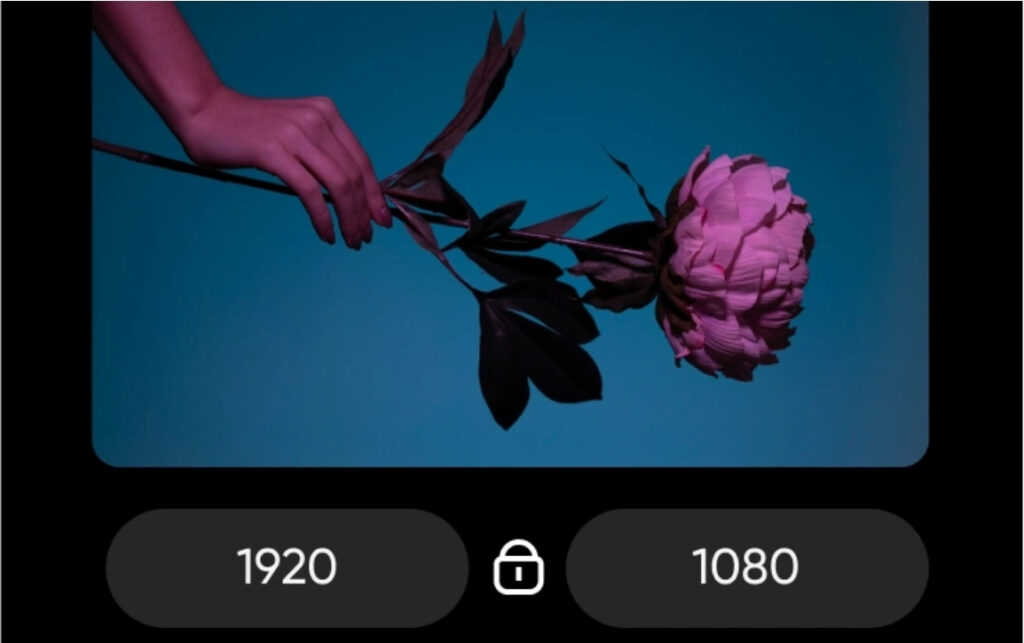


Image Batch Resizer – Custom Features & Branding

Streamline your image workflow with a custom batch resizer built specifically for your design, e-commerce, or publishing needs — with your features, your rules, and your brand.

Say Goodbye to Spreadsheet Chaos

The Wrong Approach Costs You:

Our Approach Delivers:

The only Tool You all Ever Need.

Working with images at scale? You know the pain of resizing hundreds — if not thousands — of photos manually or through clunky online tools.

We solve that problem with a Custom Image Batch Resizer tailored to your exact requirements.

Whether you're a design studio, marketing agency, product photographer, publisher, or e-commerce business — we develop a lightweight, fast, and feature-rich desktop or web-based tool to help you bulk process images with precision, speed, and automation.

And best of all — it’s 100% yours. Branded to your business. Developed from scratch. No recurring fees. No limitations.

Why Go for a Custom-Built Tool?

Our Key Features

Bulk Image Resizing (Width, Height, Ratio-based)

Resize hundreds of images at once based on fixed width, height, or aspect ratio — perfect for consistent outputs.
Format Conversion (PNG, JPG, WebP, TIFF, etc.)

Easily convert between image formats to match platform or publishing requirements.
Image Compression (Lossy / Lossless Options)

Reduce file sizes while maintaining quality — select lossy or lossless modes based on your need.

Watermarking with Custom Logo

Automatically add your company logo, watermark, or copyright mark to every image.
File Renaming Rules & Timestamp Insertion

Auto-rename images in bulk using naming rules, timestamps, image dimensions, or any custom logic.

Folder-Wise Batch Processing

Process entire folders at once — no need to manually upload or select individual files.

Drag & Drop Uploads

Fast and intuitive image uploads with drag-and-drop support — ideal for non-technical users.

Background Removal (Optional AI-Integrated)

Remove image backgrounds automatically with AI — ideal for e-commerce and portraits.
Add Borders, Padding, or Rounded Corners

Stylize images by adding design elements like borders, white space, or smooth corners.

Image Metadata Stripping

Remove embedded metadata (like camera model, GPS, etc.) for privacy and optimization.

Preview Before Export

See how each image looks before final processing — avoid surprises and get things right the first time.

Output Folder & Naming Presets

Save export settings and folder structures — reuse them in future workflows with a click.
Resize by DPI or Pixels

Customize for print or digital — resize based on dots per inch (DPI) or pixel dimensions.

Smart Cropping (Face Detection / Centered Objects)

AI-powered cropping to focus on faces or central elements — ideal for thumbnails or team profiles.

Example Use Cases:

📦 Resize 2,000 product images to Amazon or Etsy standards in one click
🖼 Add watermark to 500+ design portfolio files before uploading
📰 Format and compress editorial images for digital magazine layouts
🎨 Fit all banner images to required dimensions for social platforms
🧑‍💻 Convert UI screenshots for documentation in multiple resolutions

Technologies We Use

Perfect for:

Optional Add-ons

🎯 Auto Image Orientation Fix – Detect and correct wrong image orientation automatically
🌐 Cloud Export – Push final images directly to Dropbox, Google Drive, or FTP
🧵 EXIF Data Tagging & Preservation – Choose which metadata to keep or update
📤 Direct Publishing to CMS or Marketplace – Auto-upload images to WordPress, Shopify, or Etsy
📊 Usage Analytics Dashboard – Track processed image count, compression rates, and user actions
🔐 Password-Protected Access – Limit tool access to team members with login credentials

Our Pricing

Starting from only $999 for custom build

One flat fee — no subscriptions, no hidden charges.

📌 Final pricing may vary depending on features, integrations, and platform (web/mobile/desktop).

Frequently Asked Questions

It resizes, compresses, and converts images in bulk with custom features and branding options.

Options include size presets, format conversion, compression, watermarking, metadata handling, and cloud integration.

Yes—add logos, watermarks, branded presets, and even a branded interface.

Most plans support up to 500 images per batch and 25MB per file. Higher limits available on request.

Yes, API integration is available for developers and automated workflows.

Input: JPEG, PNG, WebP, TIFF, BMP
Output: JPEG, PNG, WebP, AVIF (by request)

Yes. All data is encrypted and files are deleted within 24 hours.

Yes. Supports scheduled tasks, folder monitoring, and webhooks.

Yes. All plans include support; enterprise plans offer onboarding and training.

Available via web, desktop (Windows/macOS), and API.

Testimonial

Our Client Says

Biswas Enterprise built our software from scratch exactly as we wanted. No pre-made solutions, just pure custom work. Super satisfied with the final result!

Devid Burner

Founder
We loved how Biswas Enterprise created everything from coding level! no templates, no reselling. A completely tailor-made solution for our business!

Arnold Burner

CEO
Great team and smooth process! They listened to our ideas and turned them into a fully functional application coded from scratch

Rodney J. Sabo

CTO

Ready to Build Your Batch Resizer?

Stop guessing. Start knowing.

Let’s build a tool that automates your time-consuming image workflow — and looks good while doing it. Whether you need branding, custom logic, or integration with existing tools, we’ve got you covered.

Need Help?